Best Low-Profile Mechanical Keyboard
Best Low-Profile Mechanical Keyboard
Verdict: Best. Low-Profile. Keyboard. Ever. — when you want mechanical switches without the key travel bulk.
Price range: $70–$230
Pros:
- Keychron K3 Pro: Ultra-slim 75%, hot-swappable, QMK/VIA, great battery
- Logitech G915 TKL: Low-profile wireless gaming, RGB, premium build
- Keychron K1 Pro: Low-profile full-size, wireless, numpad for desk space
Cons:
- Keychron K3 Pro: Plastic case, not as premium as aluminum
- Logitech G915 TKL: Proprietary switches (not hot-swappable), expensive
- Keychron K1 Pro: Plastic case, less premium than full-size aluminum boards
Who should buy it: Users who want mechanical switches but prefer the shorter key travel of laptop keyboards. MacBook users upgrading to a full-sized mechanical board. Travelers who need a mechanical keyboard in a slim bag.
Who should skip it: Users who type 8+ hours/day and prefer full-travel switches. If you’ve spent years on Cherry MX or Gateron switches, low-profile will feel shallow and unsatisfying.
What Is a Low-Profile Mechanical Keyboard?
Low-profile mechanical keyboards use switches with shorter actuation distance (1.5–2.0mm) and lower overall height (35–40mm) compared to standard mechanical switches (4mm actuation, 40–50mm height). The result: a keyboard that slides into a laptop bag, looks cleaner on a desk, and feels more like a laptop keyboard — but with the tactile feedback of mechanical switches.
Trade-offs:
- Pros: Portable, cleaner aesthetic, less wrist extension (ergonomic benefit)
- Cons: Shorter key travel feels different, fewer switch options, less aftermarket keycap selection
Low-profile keyboards are not for everyone. But for users who want mechanical switches without the “gamer” aesthetic, they’re the perfect compromise.
Keychron K3 Pro — Best Overall Low-Profile
Amazon: Keychron K3 Pro — ~$70–$90
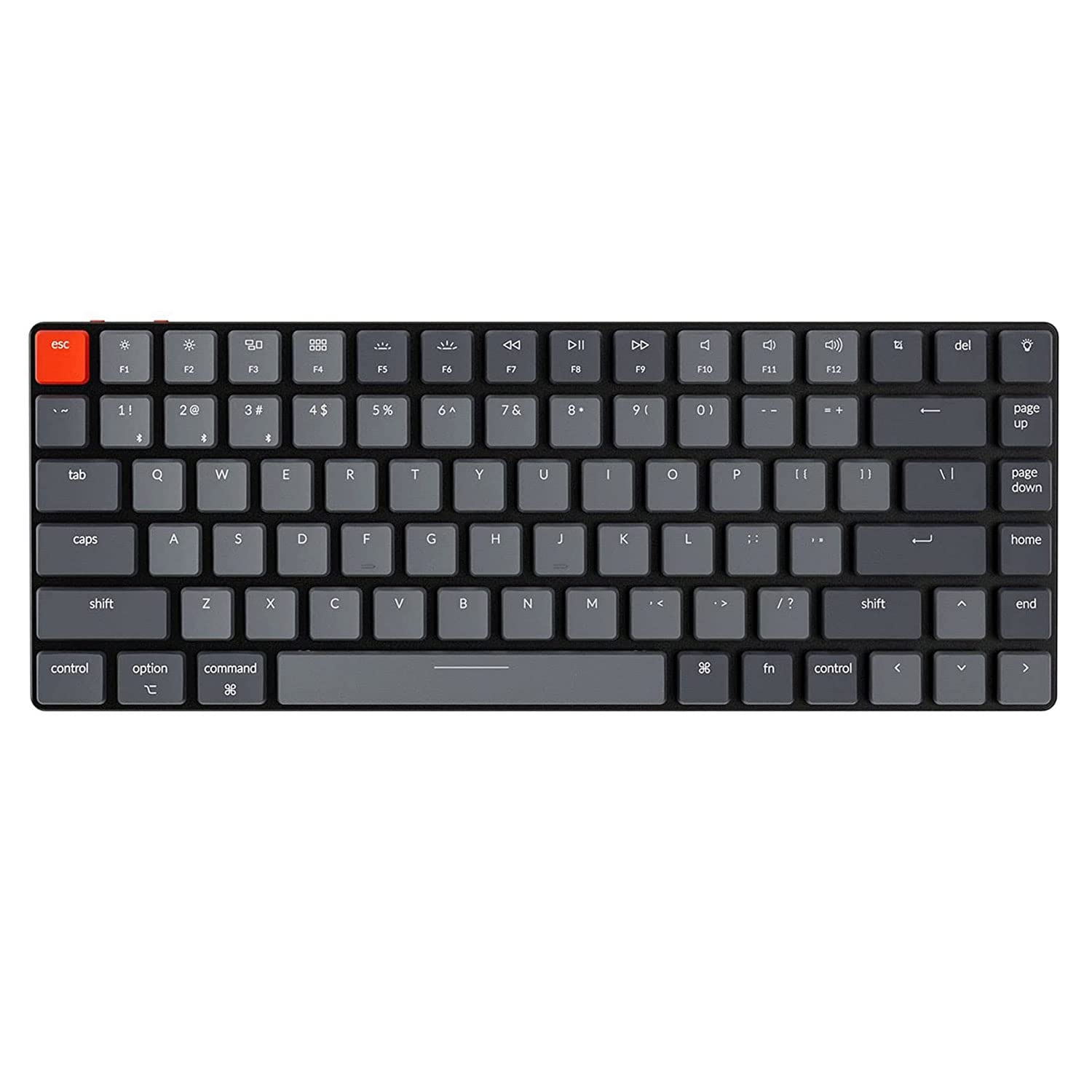
The K3 Pro is the keyboard that proved low-profile mechanical keyboards don’t have to be expensive. 75% layout, hot-swappable low-profile switches, QMK/VIA support, and wireless connectivity in a package under $90.
Build: Plastic case, but it’s thin, light (under 600g), and well-molded. The low-profile PBT keycaps are doubleshot — legends won’t fade. The keyboard feels like a premium laptop keyboard with mechanical switches underneath.
Typing feel: Stock low-profile Gateron switches are decent. The 1.5mm actuation distance is shallower than full-travel switches, but the tactile feedback is satisfying. The stabilizers are… okay. Most users eventually swap to better low-profile switches.
Wireless: 2.4GHz + Bluetooth 5.1 + USB-C. The 2.4GHz connection is stable. Battery is 4000mAh — lasts 2–3 weeks with RGB off.
Software: QMK/VIA means full customization. Remap keys, build layers, macros. Settings persist on the board.
Verdict: Best. Low-Profile. Ever. — for users who want a wireless, customizable low-profile keyboard without paying premium prices.
Logitech G915 TKL — Best Gaming Low-Profile
Amazon: Logitech G915 TKL — ~$$200–$230
The G915 TKL is Logitech’s low-profile wireless gaming keyboard in a TKL layout. It’s expensive, but the build quality, wireless performance, and RGB are best-in-class.
Build: Aluminum alloy top plate, plastic base, low-profile PBT keycaps. The keyboard feels premium and solid — no flex, no rattle. The low-profile GL switches are proprietary and not hot-swappable.
Typing feel: Logitech’s GL switches are available in Linear, Tactile, and Clicky variants. The Tactile switches are the sweet spot for typing and gaming. The actuation force is 45g, with 1.5mm actuation distance. The typing feel is smooth and consistent.
Wireless: 2.4GHz LIGHTSPEED + Bluetooth. The LIGHTSPEED connection is the most reliable wireless on the market — sub-1ms latency, no dropouts. Battery is 1350mAh — lasts 30+ hours with RGB on, 75+ hours with RGB off.
Software: Logitech G HUB is functional but requires an account and installs background services. RGB customization, macro programming, and profile management.
Who it’s for: Gamers who want low-profile switches without sacrificing wireless performance. Also good for users who want a premium low-profile keyboard with RGB.
Verdict: Best. Gaming. Low-Profile. Ever. — if you don’t need hot-swappable switches and can stomach the price.
Keychron K1 Pro — Best Low-Profile Full-Size
Amazon: Keychron K1 Pro — ~$80–$100
The K1 Pro is Keychron’s low-profile full-size keyboard with wireless connectivity and QMK/VIA support. It’s the keyboard for users who need a numpad but don’t want a tall keyboard.
Build: Plastic case, aluminum frame, low-profile PBT keycaps. The build quality is solid for the price. It’s thin enough to fit in a laptop bag with a numpad, which is rare.
Typing feel: Stock low-profile Gateron switches are decent. The 1.5mm actuation distance takes adjustment if you’re coming from full-travel switches. The numpad feels like an afterthought — the keycaps are smaller and the stabilizers are mushy.
Wireless: 2.4GHz + Bluetooth 5.1 + USB-C. The 2.4GHz connection is stable. Battery is 4000mAh — lasts 2–3 weeks with RGB off.
Software: QMK/VIA means full customization. Remap keys, build layers, macros. Settings persist on the board.
Who it’s for: Users who need a numpad and want low-profile mechanical switches. The K1 Pro is the only low-profile full-size wireless keyboard with QMK/VIA under $100.
Verdict: Best. Low-Profile. Full-Size. Ever. — for numpad users who want mechanical switches without the height.
Alternatives Considered
| Product | Price | Best For | Verdict |
|---|---|---|---|
| Keychron K3 Pro | $70–$90 | 75%, hot-swap, QMK/VIA | Best overall low-profile |
| Logitech G915 TKL | $200–$230 | Gaming, premium, RGB | Best gaming low-profile |
| Keychron K1 Pro | $80–$100 | Full-size, numpad, wireless | Best low-profile full-size |
| NuPhy Air75 V2 | $100–$120 | 75%, Mac-friendly, portable | Best portable low-profile |
| Logitech MX Mechanical | $150–$180 | Low-profile, multi-device | Best mainstream low-profile |
Verdict
The Keychron K3 Pro is our top pick for most buyers. At $70–$90, it gives you hot-swappable switches, QMK/VIA, wireless, and a 75% layout — features that cost $200+ from mainstream brands.
The Logitech G915 TKL is the gaming enthusiast’s choice. If you want the best wireless performance, RGB, and premium build, it’s worth the premium. Just don’t expect to swap switches later.
The Keychron K1 Pro is the best option if you need a numpad in a low-profile form factor.
Bottom line: Buy the K3 Pro for daily driving. Buy the G915 TKL for gaming and RGB. Buy the K1 Pro if you need a numpad.
FAQ
Are low-profile keyboards good for typing 8+ hours/day? Only if you’re coming from a laptop keyboard. Low-profile switches have shorter travel (1.5–2.0mm), which feels different from full-travel mechanical switches (4mm). For long typing sessions, full-travel switches are generally more comfortable. Low-profile is better for travel and users with smaller desks.
Can you replace keycaps on low-profile keyboards? Yes, but selection is limited. Low-profile keycaps use a different stem and profile than standard mechanical keyboards. You can’t put standard keycaps on low-profile switches. Keychron, Logitech, and a few third-party vendors make low-profile keycap sets.
Is the Logitech G915 TKL worth $200+? Only if you want the best wireless performance and RGB. The proprietary GL switches are good, but you can’t hot-swap them. For the same price, you could buy a Keychron K3 Pro + a premium keyboard and still have money left over. The G915 TKL is for users who value brand reliability and design.
Disclosure: This post contains affiliate links. If you buy through these links, I may earn a commission at no extra cost to you.