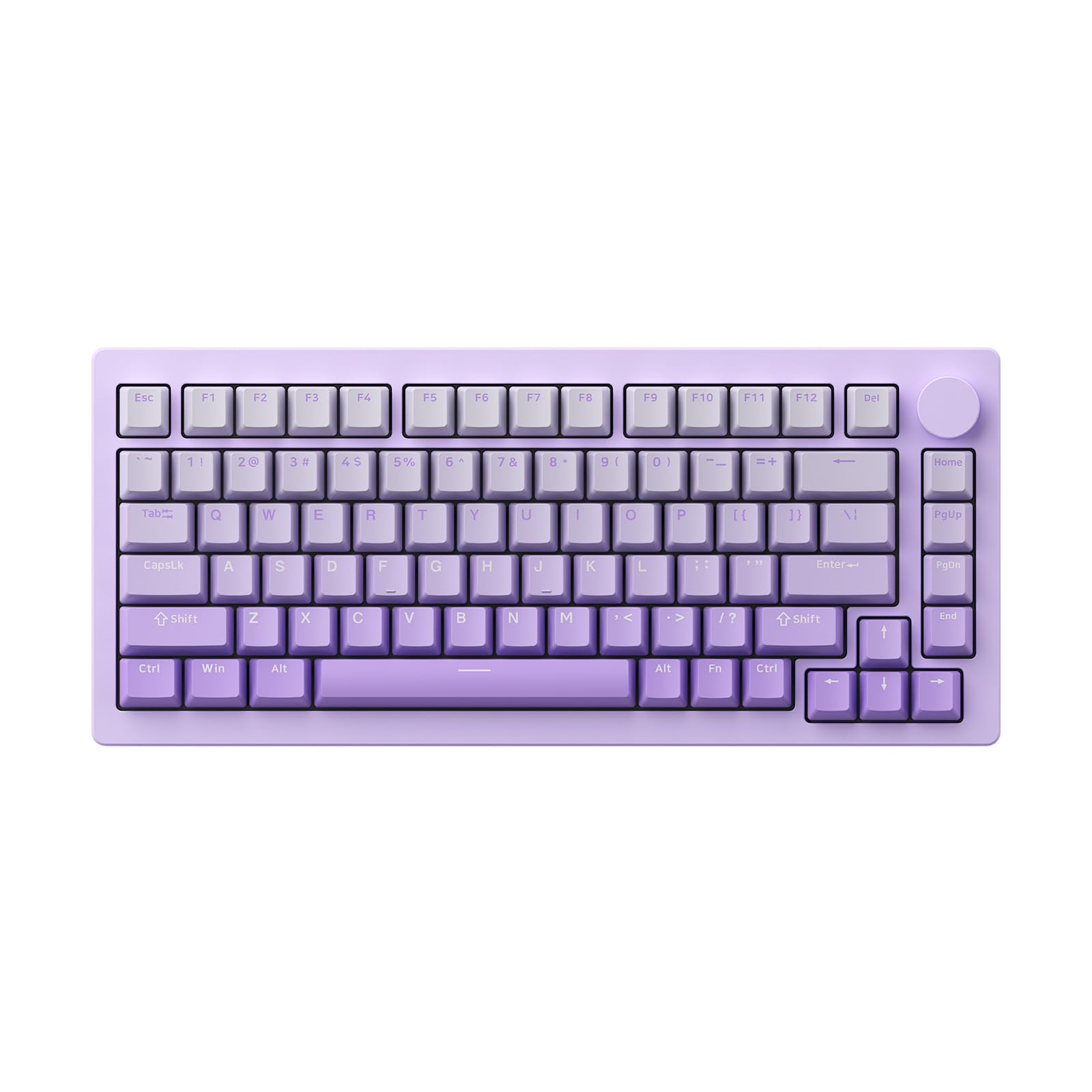
Best 75% Keyboard
Best 75% Keyboard
Verdict: Best. Layout. Ever. — when you want arrow keys, function row, and a numpad-free desk.
Price range: $60–$180
Pros:
- Feker IK75: Budget wireless 75%, hot-swappable, 1000Hz 2.4GHz, knob
- Keychron Q1: Mid-range aluminum, gasket mount, wired, QMK/VIA
- MonsGeek M1: Premium aluminum, wireless option, solid build
Cons:
- Feker IK75: Software is basic, build feels “good for the price”
- Keychron Q1: Wired only on some variants, same QC concerns as Q series
- MonsGeek M1: Less community support than Keychron, firmware less mature
Who should buy it: Users who want arrow keys and function row without the numpad bulk. Desk space is at a premium.
Who should skip it: Numpad die-hards. If you can’t live without a numpad, get a 96% or full-size keyboard.
Why 75% Is the Sweet Spot
The 75% layout (also called 1800 compact) packs arrow keys, a function row, and most navigation keys into a footprint only slightly wider than 60%. You lose the numpad and the gap between nav cluster and numpad — but you gain desk space and a cleaner cable management situation.
75% vs. other layouts:
- 60%: Minimalist, no arrows, no F-row. Great for travel, bad for productivity.
- TKL (80%): No numpad, but wider than 75%. More empty space.
- 96%: Numpad without the gap. Still wide — not truly compact.
- Full-size: Everything. Also the widest.
For most users who type but don’t need a numpad daily, 75% is the Goldilocks zone.
Feker IK75 — Best Budget 75%
Amazon: Feker IK75 — ~$60–$80
The IK75 is the keyboard that made 75% mainstream. Budget price, feature-rich, and surprisingly capable out of the box. 75% layout, tri-mode wireless (2.4GHz + Bluetooth + USB-C), hot-swappable switches, and RGB with an LED display knob.
Build: Plastic case, but it’s thick and well-molded. The gasket mount design gives a springy, muted typing sound. It doesn’t feel premium, but it doesn’t feel like $60 either.
Typing feel: Stock Gateron switches are decent. The stabilizers are… budget. Rattle is present but not unbearable. Most users eventually lubed or swap switches — which is the point of hot-swap.
Wireless: 2.4GHz dongle + Bluetooth 5.0 + USB-C. The 2.4GHz connection supports 1000Hz polling — fast enough for gaming. Bluetooth connects to 3 devices.
Software: Feker’s software is functional but basic. QMK/VIA is NOT supported, which is the IK75’s biggest limitation vs. Keychron.
Verdict: Best. Budget. 75%. Ever. — for beginners and modders. If you want QMK/VIA, spend more on Keychron.
Keychron Q1 — Best Mid-Range 75%
Amazon: Keychron Q1 — ~$120–$140
The Q1 is Keychron’s wired 75% offering with a CNC aluminum case and gasket mount. It’s the enthusiast pick for users who want a premium typing experience without wireless.
Build: Full CNC aluminum case, double-shot PBT keycaps, gasket mount design. This is a $150 keyboard with a $120 price tag. The typing sound is muted, thocky, and satisfying out of the box.
Typing feel: Stock Gateron Pro switches are decent. The lubed stabilizers are… acceptable. The gasket mount + aluminum case combo gives a premium typing experience that plastic keyboards can’t match.
Software: QMK/VIA support out of the box. Full key remapping, layers, macros. No cloud accounts, no bloatware.
The catch: Wired only. No wireless option. Same QC concerns as Keychron’s Q/V Max series — test thoroughly on arrival.
Verdict: Best. Wired. 75%. Ever. — for enthusiasts who prioritize typing feel over wireless freedom.
MonsGeek M1 — Best Premium 75%
Amazon: MonsGeek M1 — ~$150–$180
The M1 is MonsGeek’s flagship 75% keyboard. Aluminum case, gasket mount, wireless option, and a design that looks like it costs more than it does. It’s the “budget custom keyboard” made real.
Build: CNC aluminum case, double-shot PBT keycaps, gasket mount with silicone gaskets. The build quality is excellent — no flex, no rattle, no cheap plastic feelings.
Typing feel: Stock switches are decent. The lubed stabilizers are better than Keychron’s out of the box. The typing sound is thocky and muted — very satisfying for long typing sessions.
Wireless: Some variants include 2.4GHz + Bluetooth. Check the listing for wireless options. The wired version is the base model.
Software: QMK/VIA compatible. Remap keys, build layers, customize RGB. Settings persist on the board.
Verdict: Best. Premium. 75%. Ever. — for users who want custom-level build quality without custom-level pricing.
Alternatives Considered
| Product | Price | Best For | Verdict |
|---|---|---|---|
| Feker IK75 | $60–$80 | Budget wireless 75% | Best bang-for-buck |
| Keychron Q1 | $120–$140 | Wired aluminum 75% | Best mid-range build |
| MonsGeek M1 | $150–$180 | Premium aluminum 75% | Best custom-level build |
| Keychron Q1 Pro | ~$180 | Wireless aluminum 75% | Best wireless 75% (also in wireless guide) |
| Aula F75 | ~$70 | Budget 75%, knob | Good alternative to IK75 |
Verdict
The Feker IK75 is our top pick for most buyers. At $60–$80, it gives you wireless, hot-swap, RGB, and a knob — features that cost $150+ from mainstream brands. The lack of QMK/VIA is a downside, but for most users, it doesn’t matter.
If you want a wired, aluminum 75% for typing bliss, the Keychron Q1 is the enthusiast choice. If you want the best build quality money can buy in a 75%, the MonsGeek M1 is the premium pick.
Skip the 60% layout if you need arrow keys or function keys daily. Go 75% or TKL.
FAQ
Is 75% really better than TKL? For most users, yes. 75% gives you arrow keys and a function row in a package only slightly wider than 60%. TKL is wider for the same keys. The only reason to go TKL is if you prefer the extra space or want a more traditional look.
Are 75% keyboards good for gaming? Yes. The arrow keys are in the same position as TKL, and the function row is accessible. Most 75% keyboards support N-key rollover and high polling rates. The only downside is some games map keys to the numpad — but 75% keyboards don’t have a numpad.
Do 75% keyboards have good keycap availability? Yes. 75% keycap sets are widely available from GMK, Keychron, and third-party vendors. The standard key sizes (1u, 1.25u, 1.5u, 2.25u, 2.75u, 6.25u) are well-supported.
Disclosure: This post contains affiliate links. If you buy through these links, I may earn a commission at no extra cost to you.