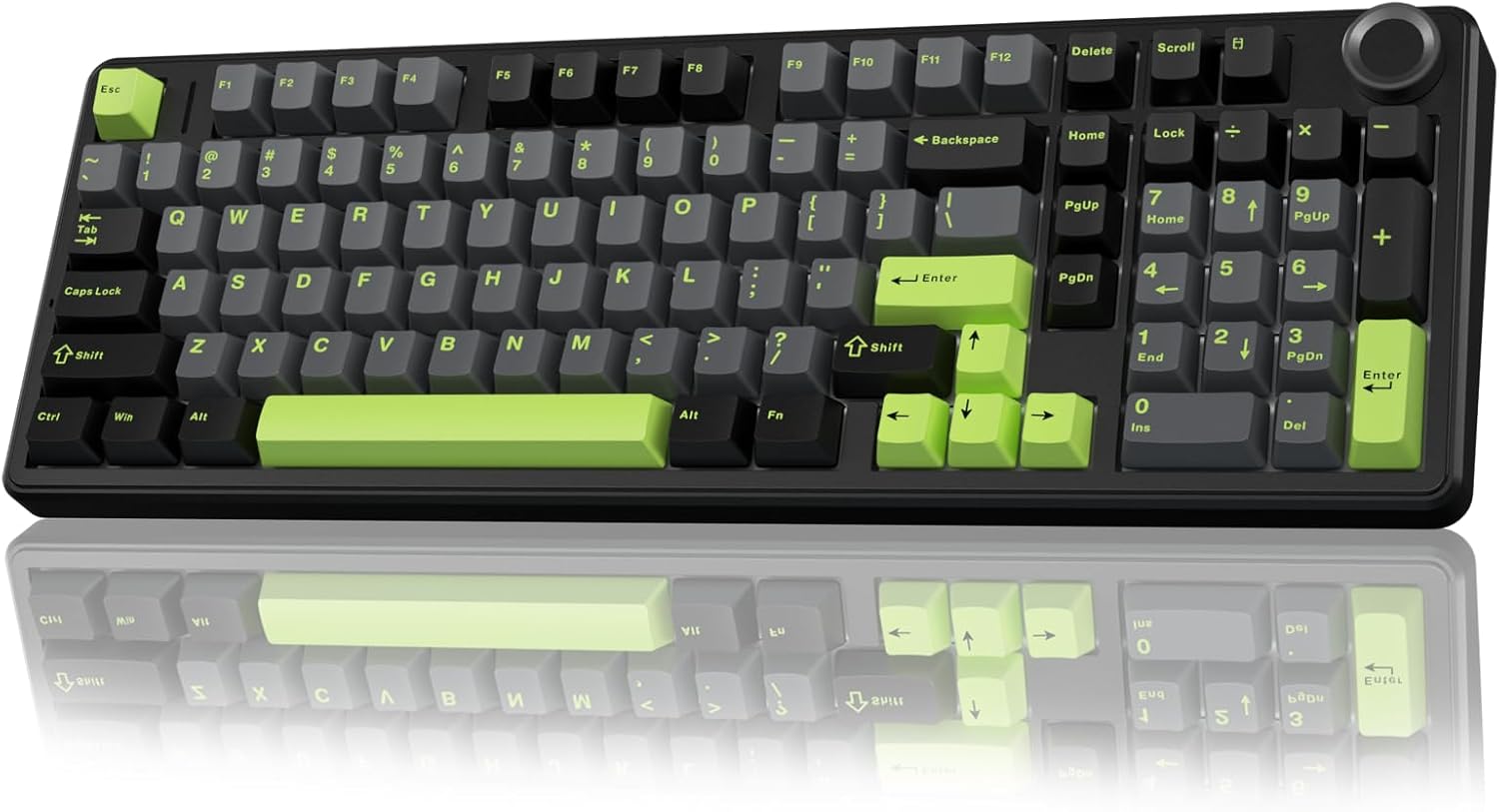
Best Budget Mechanical Keyboard Under $100
Best Budget Mechanical Keyboard Under $100
Verdict: Best. Budget. Keyboard. Ever. — because $80 in 2026 gets you features that cost $200+ five years ago.
Price range: $30–$85
Pros:
- Keychron V5 Max: Wireless, QMK/VIA, gasket mount, PBT keycaps, 96% layout — $79
- Royal Kludge RK61: Wireless, hot-swappable, 60% compact, tri-mode — $49
- Redragon K552: Metal frame, anti-ghosting, tactile switches, proven durability — $35
Cons:
- Keychron V5 Max: QC lottery (loose switches, Bluetooth issues), plastic case vs. aluminum
- Royal Kludge RK61: Wireless reliability varies, build feels “good for the price” not “premium”
- Redragon K552: Wired only, loud switches, no media keys, limited software
Who should buy it: First-time mechanical keyboard buyers, students, remote workers on a budget.
Who should skip it: Enthusiasts who want custom-case aluminum builds. Save up for a Q Max or real custom.
The Budget Keyboard Reality
In 2026, the budget mechanical keyboard market is unrecognizable from 2020. What required $150+ then now costs under $80. The trade-off is build materials and QC consistency — but for most users, the value is undeniable.
What you should expect at under $100:
- Hot-swappable switches (standard in 2026)
- PBT keycaps (not ABS — those shine in 3 months)
- Wireless connectivity (2.4GHz or Bluetooth, or both)
- RGB backlighting (because why not)
- Basic software or QMK/VIA support
What you won’t get:
- CNC aluminum cases
- Lubed stabilizers out of the box
- Premium switch stock (Gateron Reds/Browns at best)
- 1000Hz polling (usually 125Hz on budget boards)
Keychron V5 Max — Best Overall Budget
Amazon: Keychron V5 Max — ~$75–$85
The V5 Max is the budget keyboard that ruined other budget keyboards for me. 96% layout (numpad without the dead space), wireless 2.4GHz + Bluetooth 5.1, gasket mount, double-shot PBT keycaps, and QMK/VIA support.
Build: Plastic case, but it’s thick, well-molded plastic. The gasket mount design gives a springy, muted typing sound that belies the price. It doesn’t feel like a $79 keyboard — it feels like a $150 one with a plastic case instead of aluminum.
Typing feel: Stock Gateron Jupiter switches are decent. Brown switches are the safe pick for programming/typing. The stabilizers are… acceptable. Not great, not terrible. Most users won’t notice unless they’ve typed on lubed, clipped stabilizers.
Wireless: 2.4GHz + Bluetooth 5.1 + USB-C. The 2.4GHz connection is stable. Bluetooth works for 3 devices. Battery is 4000mAh — Keychron claims 200+ hours with RGB off.
Software: QMK/VIA means full customization. No bloatware, no cloud accounts.
The catch: The same QC issues plaguing Keychron’s Q/V Max series. Reddit threads are full of users with loose switches, double-key presses, and Bluetooth pairing failures. Keychron acknowledged manufacturing defects in early 2026. Test thoroughly on arrival.
Verdict: Best. Budget. Keyboard. Ever. — when QC smiles upon you. At $79, it’s a steal if you get a good unit.
Royal Kludge RK61 — Best Compact Budget
Amazon: Royal Kludge RK61 — ~$45–$55
The RK61 is the keyboard that got a generation of users into mechanical keyboards. 60% layout, wireless tri-mode (2.4GHz + Bluetooth + USB-C), hot-swappable switches, and RGB.
Build: Plastic case, but it’s compact and light (under 600g). The keycaps are double-shot PBT — excellent for the price. The gasket mount design gives a “thocky” sound that users love to mod further.
Typing feel: Stock Gateron switches are basic. The Blues are loud (mechanical keyboard stereotyping fulfilled). The Reds are fine for gaming. Most users eventually swap to better switches — which is the point of hot-swap.
Wireless: 2.4GHz + Bluetooth 5.0 + USB-C. The wireless is functional but not premium. Some users report occasional disconnects. The 1450mAh battery lasts 1–2 weeks with RGB off.
Software: Royal Kludge’s own software is basic. QMK/VIA is NOT supported — this is the RK61’s biggest limitation vs. Keychron.
The catch: Build quality is “good for the price,” not “great.” Keycaps can feel slightly wobbly. The wireless isn’t as reliable as Keychron’s. Some users report double-key presses and key chatter.
Verdict: Best. Compact. Budget. Keyboard. Ever. — for beginners and modders. Not for users who need QMK/VIA or rock-solid wireless.
Redragon K552 — Best Wired Budget
Amazon: Redragon K552 — ~$30–$40
The K552 is the budget keyboard that defined “budget mechanical” for years. TKL layout, metal frame, Redragon’s proprietary Red switches (Cherry MX Red equivalent), and anti-ghosting.
Build: Metal frame + plastic base. It’s heavy for the price (~850g) and feels tank-like. The keycaps are doubleshot ABS — they will shine after 3 months of heavy use. Plan to replace them if you’re a daily typer.
Typing feel: Red switches are linear and quiet-ish. The tactile Blue switches are loud (obviously). The stabilizers are… budget. Rattle is present out of the box.
Software: None. What you see is what you get. No macros, no RGB customization (some versions have fixed rainbow backlight).
The catch: It’s wired only. No wireless option. The keycaps are ABS, not PBT. The switches are proprietary — not truly Cherry MX, but close enough for the price.
Verdict: Best. Wired. Budget. Keyboard. Ever. — for gamers and students who want a mechanical keyboard without any wireless fuss. At $35, it’s a no-brainer first mech.
Alternatives Considered
| Product | Price | Best For |
|---|---|---|
| Keychron V5 Max | $75–$85 | Best overall budget, wireless, QMK/VIA |
| Royal Kludge RK61 | $45–$55 | Compact, beginner-friendly, moddable |
| Redragon K552 | $30–$40 | Wired only, maximum durability per dollar |
| Keychron C1 | ~$50 | Wired TKL, best build under $50 |
| Velocifire TK03 | ~$45 | Wireless, slightly better QC than RK61 |
Verdict
The Keychron V5 Max is our top pick. At $79, it gives you wireless, QMK/VIA, hot-swap, and PBT keycaps — features that cost $200+ from mainstream brands. The QC lottery is real, but Amazon’s return policy makes it a low-risk bet.
The Royal Kludge RK61 is the best choice for compact layouts and total beginners. The Redragon K552 remains the king of wired budget boards — simple, durable, and cheap enough to buy two.
Skip anything under $25 unless it’s a gift. The build quality and switch reliability drop off a cliff below that threshold.
FAQ
Is a $30 mechanical keyboard actually good? The Redragon K552 at $35 is the exception. Below $25, you’re getting membrane switches masquerading as mechanical, flimsy plastic cases, and keycaps that warp in a month. The $30–$50 range is where real mechanical keyboards start — metal frames, hot-swappable switches, and usable wireless.
Do budget keyboards have good wireless? Not always. The Royal Kludge RK61’s wireless works, but it’s not as reliable as Keychron’s 2.4GHz implementation. If wireless is your top priority, spend the extra $30 on the Keychron V5 Max. If you’re okay with occasional Bluetooth hiccups, the RK61 is fine.
Are ABS keycaps that bad? Yes, if you type daily. ABS plastic develops a shiny, greasy patina within 2–3 months of heavy use. PBT keycaps (like the V5 Max and RK61) resist shine and feel better over time. If a budget keyboard has ABS keycaps, budget another $15–$20 to replace them within 6 months.
Disclosure: This post contains affiliate links. If you buy through these links, I may earn a commission at no extra cost to you.