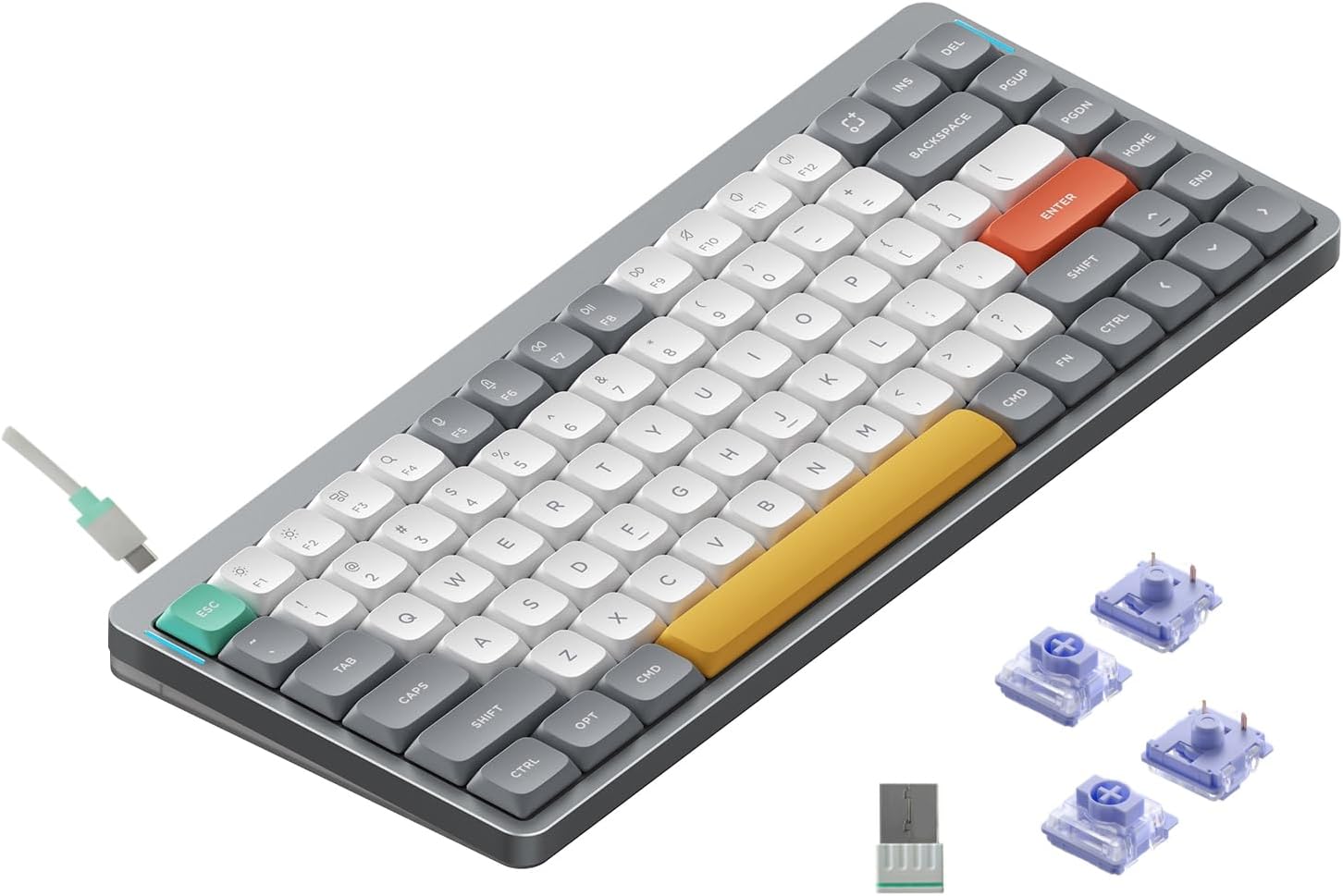
Best Wireless Mechanical Keyboard
Best Wireless Mechanical Keyboard
Verdict: Best. Wireless. Keyboard. Ever. — when you need cable-free typing without the Bluetooth dropouts.
Price range: $60–$240
Pros:
- NuPhy Air75 V2: Ultra-portable 75% low-profile, QMK/VIA, 1000Hz 2.4GHz, hot-swappable
- Keychron Q1 Pro: Premium aluminum mid-tier, gasket mount, solid wireless performance
- Royal Kludge RK84: Budget wireless 84-key, tri-mode, surprisingly capable
Cons:
- NuPhy Air75 V2: Low-profile switches aren’t for everyone, minor QC bugs reported
- Keychron Q1 Pro: Same QC concerns as Q5 Max (loose switches, Bluetooth issues)
- All wireless: Battery anxiety is real. Some users report 2.4GHz interference in dense Wi-Fi environments
Who should buy it: Anyone who wants a clean desk, works from coffee shops, or shares a keyboard between Mac/Windows/Linux.
Who should skip it: Competitive gamers who need 100% wired reliability, or users who can’t tolerate charging a keyboard every few weeks.
What Makes a Great Wireless Mechanical Keyboard
Wireless mechanical keyboards used to be an afterthought. In 2026, they’re genuinely good — but only if you buy the right ones.
Connectivity hierarchy:
- 2.4GHz USB dongle — Lowest latency, most reliable, best for gaming + typing
- Bluetooth 5.1+ — Convenient multi-device, higher latency, occasional dropouts
- USB-C wired fallback — Essential for charging and zero-latency moments
Battery life:
- Low-power boards (Royal Kludge): 1–2 weeks with RGB off, 3–5 days with RGB on
- Mid-range (Keychron, NuPhy): 2–4 weeks with RGB off, 1–2 weeks with RGB on
- Premium (Q5 Max): 3–5 weeks with RGB off, 1–2 weeks with RGB on
Layout choices:
- 75% / 1800: Compact but functional. Arrow keys, function row, most punctuation.
- 96%: Full-size minus the gap between nav cluster and numpad. Best for numpad users.
- 60%: Minimalist. No arrows, no F-row. Not recommended as a daily driver for programming.
NuPhy Air75 V2 — Best Portable Wireless
Amazon: NuPhy Air75 V2 — ~$100–$120
The Air75 V2 is the keyboard MacBook users didn’t know they needed. Low-profile Gateron switches, 75% layout with arrow keys, and a footprint that slides into a laptop bag without complaint.
Build: Anodized aluminum case, low-profile PBT keycaps, hot-swappable switches. The 1.7mm actuation distance is shallower than full-travel mechanical switches, but the tactile feedback is satisfying.
Wireless: 2.4GHz dongle + Bluetooth 5.0 + USB-C. The 2.4GHz mode hits 1000Hz polling — fast enough for gaming. Bluetooth connects to 3 devices and switches with Fn+1/2/3.
Battery: 4000mAh. Tom’s Hardware reported ~2 weeks with RGB off, ~1 week with RGB on in mixed use.
Software: QMK/VIA compatible. Remap keys, build layers, customize RGB. Settings persist on the board — no software required on other machines.
The catch: Tom’s Guide called it “a little buggy.” Some Reddit users report occasional Bluetooth hiccups and key chatter. The low-profile switches aren’t for everyone — if you type 100+ WPM on full-travel switches, the 1.7mm travel will take adjustment.
Verdict: Best. Portable. Keyboard. Ever. — for Mac users, travelers, and anyone who values desk space over key travel.
Keychron Q1 Pro — Best Mid-Range Wireless
Amazon: Keychron Q1 Pro — ~$150–$180
The Q1 Pro is Keychron’s mid-tier wireless offering in a 75% layout. Aluminum case, gasket mount, and the same QMK/VIA ecosystem as the Q5 Max.
Typing feel: The gasket mount + aluminum case gives a softer, springy typing experience. Stock Gateron switches are fine — lubed, they’re excellent. The double-gasket design reduces ping and gives a more “custom” sound profile.
Wireless: 2.4GHz + Bluetooth 5.1 + USB-C. 1000Hz polling in 2.4GHz and wired modes.
Battery: 4000mAh. Keychron claims up to 200 hours with RGB off. Real-world: ~2–3 weeks with RGB off, ~1 week with RGB on.
The catch: Same QC issues as the Q5 Max. Reddit is full of users reporting loose switches and double-key presses. Buy from a seller with a good return policy.
Verdict: Solid choice if you want the Q5 Max experience in a smaller package. Just hope your unit passes QC.
Royal Kludge RK84 — Best Budget Wireless
Amazon: Royal Kludge RK84 — ~$60–$80
The RK84 proves you don’t need to spend $150+ to get wireless mechanical. 84-key layout (full-size minus the gap), tri-mode connectivity (2.4GHz + Bluetooth + USB-C), and hot-swappable switches.
Build: Plastic case, but it doesn’t feel cheap. The keycaps are double-shot PBT — unusual at this price. Gasket mount design gives a surprisingly good typing sound.
Wireless: 2.4GHz dongle + Bluetooth 5.0 + USB-C. The 2.4GHz connection is stable for typing, though the polling rate isn’t specified (likely 125Hz — fine for typing, not for competitive gaming).
Battery: 4000mAh. Lasts 2–3 weeks with RGB off.
Who it’s for: Budget buyers who want wireless without sacrificing hot-swap or PBT keycaps. The best “first wireless keyboard” on the market.
Alternatives Considered
| Product | Price | Best For |
|---|---|---|
| NuPhy Air75 V2 | $100–$120 | Portable, low-profile, Mac users |
| Keychron Q1 Pro | $150–$180 | Mid-range wireless, 75% layout |
| Royal Kludge RK84 | $60–$80 | Budget wireless, full layout |
| Keychron Q5 Max | $220–$240 | Premium, numpad, 96% layout |
| Logitech G915 TKL | ~$230 | Low-profile wireless gaming |
Verdict
The NuPhy Air75 V2 is our top pick for most buyers. It’s the most polished portable wireless mechanical keyboard available, with real enthusiast features (QMK/VIA, hot-swap) in a package that travels well.
If you need a larger layout, the Royal Kludge RK84 offers the best bang-for-buck in the budget wireless category. The Keychron Q1 Pro is tempting, but the QC lottery makes it a risky recommendation without a solid return policy.
Skip the Logitech MX Mechanical here — it’s reviewed in our programming guide. Its low-profile switches and lack of hot-swap make it less compelling for enthusiasts.
FAQ
Is 2.4GHz wireless really better than Bluetooth for keyboards? Yes. 2.4GHz offers lower latency (1000Hz polling vs. ~125Hz on Bluetooth) and doesn’t compete with your Wi-Fi channels. Bluetooth is convenient for multi-device switching, but in a crowded office or apartment, 2.4GHz is more reliable. Get a keyboard with both — use 2.4GHz for desk work, Bluetooth for tablet/couch.
How long do wireless mechanical keyboards actually last on a charge? Depends on the battery and your RGB usage. Budget boards (Royal Kludge): 1–3 weeks. Mid-range (NuPhy, Keychron): 2–4 weeks with RGB off, 1–2 weeks with RGB on. Premium boards with larger batteries can hit 3–5 weeks. If you’re plugging in every few days, battery anxiety is real — pick a board with USB-C charging so you can use it while charging.
Are low-profile wireless keyboards good for programming? Only if you’re coming from a laptop keyboard. Low-profile switches (like the NuPhy Air75 V2) have shorter travel (1.7mm vs. 4mm on full-travel), which feels odd if you’re used to Cherry MX or Gateron switches. They’re great for travel and Mac users, but for 8+ hour coding sessions, full-travel switches are more comfortable.
Disclosure: This post contains affiliate links. If you buy through these links, I may earn a commission at no extra cost to you.